Brad wrote: Mon Mar 29, 2021 9:02 am
Were basically set with 72nd street being the split.
If the Urban VS Suburban really bothers people, it would be 10,000 times easier to rename them to "East of 72nd Street" and "West of 72nd Street".
Agreed. It’ll stay as is. Don’t see any real reason to change things at this point...
Brad wrote: Mon Mar 29, 2021 9:02 am
Were basically set with 72nd street being the split.
If the Urban VS Suburban really bothers people, it would be 10,000 times easier to rename them to "East of 72nd Street" and "West of 72nd Street".
Agreed. It’ll stay as is. Don’t see any real reason to change things at this point...
Ciao..LiO...Peace
I understand where the mods are coming from here. It would be a tedious undertaking not just now but perpetually so as Omaha continues to grow west. I do, however like Brad's distinction of East or West of 72nd St. Rather than change the names how about including in parentheses those fixed geographical divides?
E.g. Urban Omaha Development (East of 72nd St) and Suburban Omaha Development (West of 72nd St). I have to admit after some forum time absence it was hard to find a few projects because they weren't in the forum I expected. It must be similarly difficult for new members and infrequent visitors. I ended up using the search to find some projects. Finally, such an inclusion may also put to bed this periodic proposal from ever coming up again.
I haven’t used an avatar in awhile. When I logged in today, I magically now have an avatar of the old Iowa State logo? I did not set this. What happened?
"Video game violence is not a new problem. Who could forget in the wake of SimCity how children everywhere took up urban planning." - Stephen Colbert
TitosBuritoBarn wrote: Sun Nov 21, 2021 9:47 am
I haven’t used an avatar in awhile. When I logged in today, I magically now have an avatar of the old Iowa State logo? I did not set this. What happened?
Things are starting to appear fine now. It may have been due to the host upgrading PHP. They were supposed to do that between the 2nd and 4th.
I tried upgrading the board from 3.2.2 to 3.2.11 when the issue was still happening, but it doesn't support the PHP version we are running, so I'll have to jump up to 3.5. I may look into that tonight.
HR Paperstacks wrote: Thu Mar 03, 2022 1:41 pm
Things are starting to appear fine now. It may have been due to the host upgrading PHP. They were supposed to do that between the 2nd and 4th.
I tried upgrading the board from 3.2.2 to 3.2.11 when the issue was still happening, but it doesn't support the PHP version we are running, so I'll have to jump up to 3.5. I may look into that tonight.
Thank you very much for steadying the forum boat whenever we have to start bailing water …
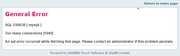
Getting a database error this morning. I see "Bing [Bot]" is currently visiting the site. Perhaps search engine bots crawling the site slam the database?
ChadJK wrote: Mon Mar 14, 2022 10:46 am
Getting a database error this morning. I see "Bing [Bot]" is currently visiting the site. Perhaps search engine bots crawling the site slam the database?
Last time we had that happen it was essentially DDoS attacks. I'm not seeing any issues now but if it starts happening again I'll have to look into blocking more huge ranges of foreign IPs at the host level.
We are currently running an older version of phpBB and I'm looking into upgrading to the latest.
Some extensions we are using are not compatible with the new version and will have to be removed. They are:
Fade Header - I can modify the CSS to display an image in the header, but it's only static
Profile side switcher - the profile for posts is normally on the right side but this allowed it to be switched to the left like previous versions
Last post avatar - the last post column will no longer display users' avatars.
I am also exploring using a different style:
Red.jpg
The theme allows for a few different colors as well that users can choose, but I'm thinking about using red as the default. You can also switch back to the traditional "prosilver" theme if you would prefer to stick with it.
Let me know your thoughts!
This topic will be global for a week and then I'll merge it into the Modifications to eOmahaForums topic under General Discussion.
You do not have the required permissions to view the files attached to this post.
Magenta Comic Sans should be the default font for the site. I'd also like a page hit counter at the bottom that looks like an old car odometer. Let's get Web 1.0 around here! Can we join a few Web Rings and put their HTML snippet at the bottom? Oh my gosh, I almost forget, we'll also need a guestbook!
With this upgrade, I have looked into other available styles and selected one called Flat Style, but I have customized it a bit for our forum.
This style has multiple color options. I have made the red version the default, but you can select a different color or even go back to the old "prosilver" style by going to Board Preferences under the User Control Panel and changing "My board style". There is even a dark version of prosilver if you are into that.
I have noticed the "[youtube]" tag was only leaving links now, but I have installed an extension so you can use "[media]" instead to embed videos. You can also just paste the link.
ChadJK wrote: Mon Apr 04, 2022 11:43 am
Can we get the "Mark All Forums Read" link back? Or, am I just not seeing it?
If you click on the BOARD INDEX the Mark all forms read is on the top right above the list of forms when I just checked it now. This is how I used it in the past.
For the record NEBUGEATER does not equal BUGEATER !!!!!!!
ChadJK wrote: Mon Apr 04, 2022 11:43 am
Can we get the "Mark All Forums Read" link back? Or, am I just not seeing it?
If you click on the BOARD INDEX the Mark all forms read is on the top right above the list of forms when I just checked it now. This is how I used it in the past.
Looks like you are using the old prosilver style The new flat style doesn't have that.
ChadJK - as mentioned, it is under Quick links. If it's something you'd like to see outside that menu, it can be done, but I'd have to figure out where to edit the templates. I'm trying to not customize it too much because next upgrade I'll have to redo all these customizations (and will likely have forgot what I did last time). But if there's enough demand, I'm willing to dive in there.
HR Paperstacks wrote: Mon Apr 04, 2022 7:56 pm
ChadJK - as mentioned, it is under Quick links. If it's something you'd like to see outside that menu, it can be done, but I'd have to figure out where to edit the templates. I'm trying to not customize it too much because next upgrade I'll have to redo all these customizations (and will likely have forgot what I did last time). But if there's enough demand, I'm willing to dive in there.





 …
…







 The new flat style doesn't have that.